
Fuel and LPG stations
For operators and cashiers: dispenser control, payments and shift management. For attendants: card-based service beside the customer’s vehicle.
Fuel and LPG station management, fuel cards, 1C integration and tank monitoring. A customer app for iOS and Android, plus a web portal.
ITGAS connects the technical and commercial operations of a fuel station. Tank measurements, dispenser control, driver payments and accounting exchange become parts of one software suite. Its modular structure allows the solution to be configured around the equipment and workflows of an individual site.
Connect dispenser control, inventory measurement, checkout operations and accounting data exchange.
A modular suite brings together a measurement server, dispenser control service, cashier workstation and Android application for POS terminals.
Product websiteScreenshots of the Russian interface. Appearance depends on the version and settings.
For operators and cashiers: dispenser control, payments and shift management. For attendants: card-based service beside the customer’s vehicle.
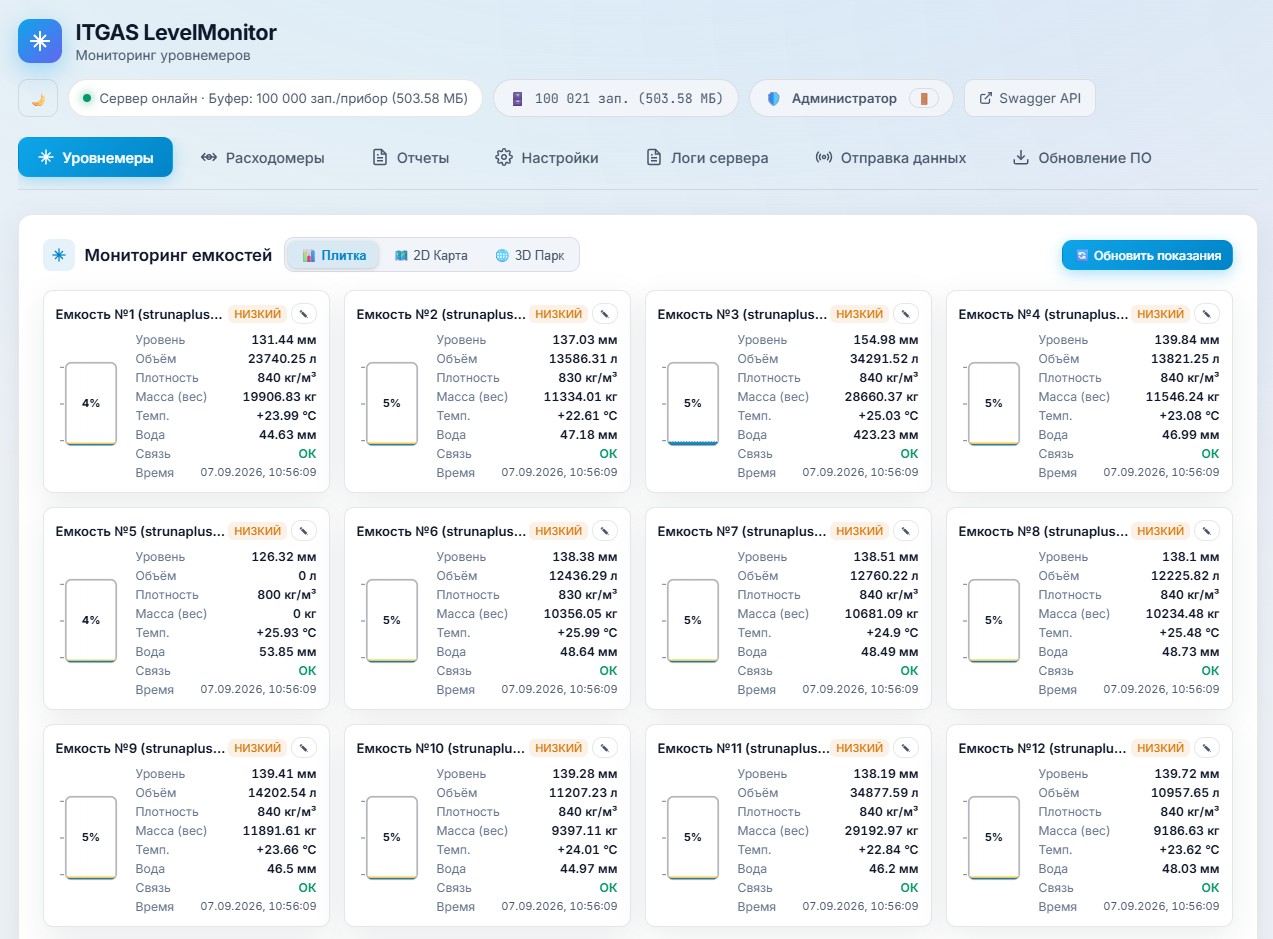
For engineers, metrology teams and dispatchers: a web view of stock, fuel parameters and product movement events.
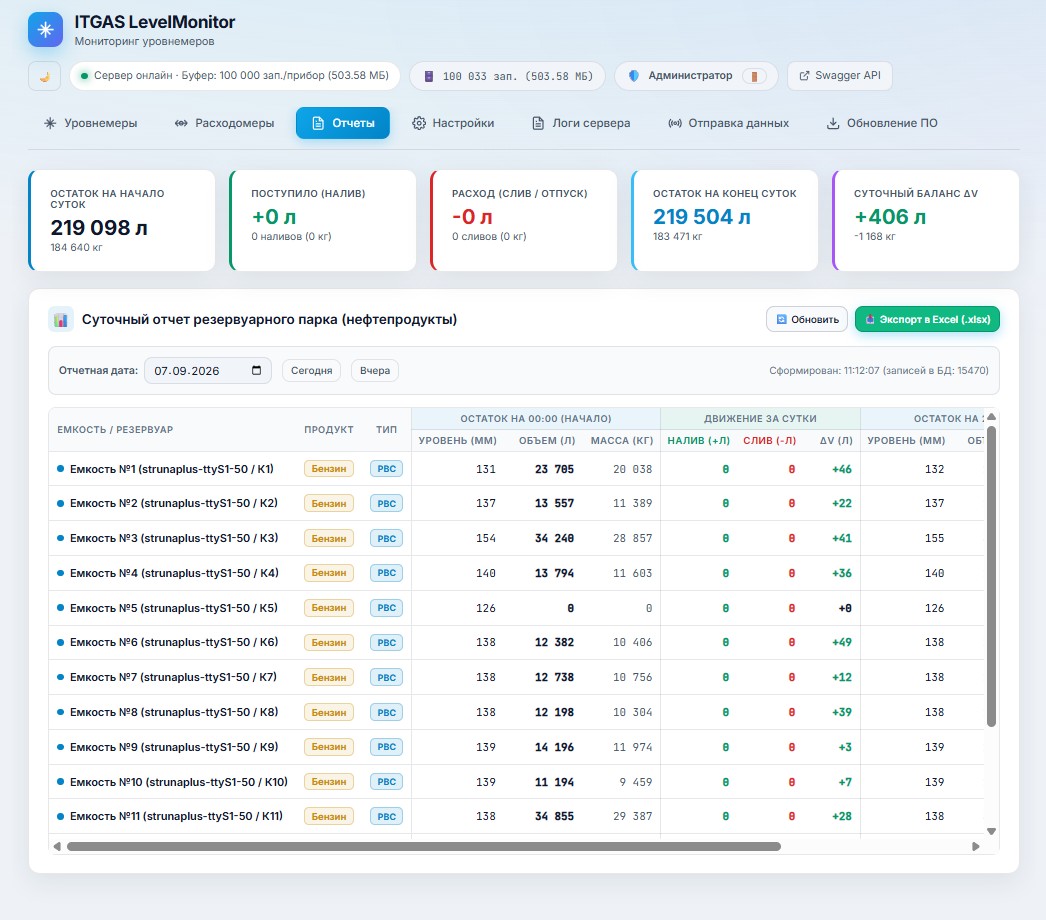
For managers and accounting teams: connections between shift transactions and equipment readings, with results transferred to 1C.
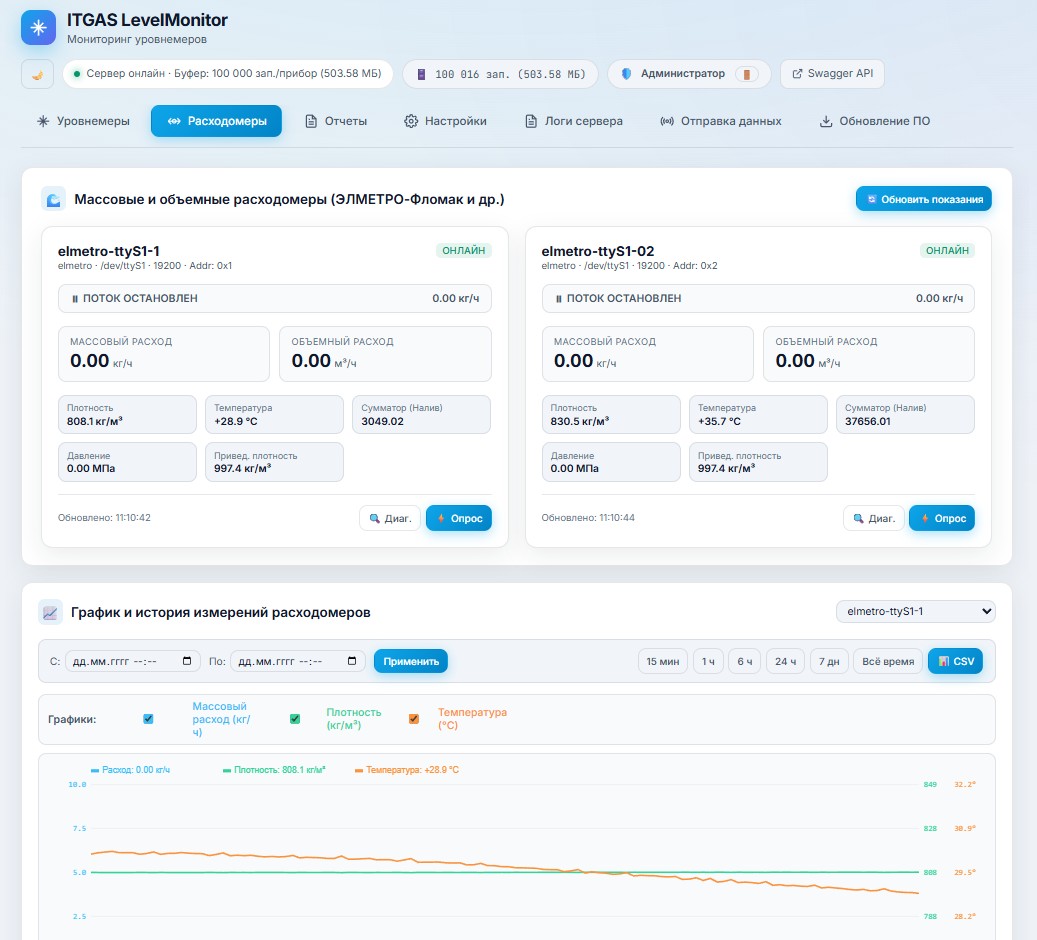
The server polls level and flow instruments, collecting level, volume, temperature, density, mass and bottom-water readings. A web dashboard shows tanks and measurement history, while a 3D overview provides a spatial view of the tank farm.
The service connects the software suite to dispensing equipment. It supports prepaid and postpaid operation, a REST API and web diagnostics for configuring and checking dispenser communication.
Cashiers set an amount or volume, monitor dispensers and manage shifts. The workstation supports mixed payments using money and litre-based fuel cards, receipt printing and integration with an online fiscal register.
The Android terminal application reads NFC cards, checks available limits and a PIN, and prints receipts on an integrated printer. Operational steps move to the place where the vehicle is being refuelled.
A detector analyses level changes to identify incoming and outgoing fuel events, filtering short spikes and accounting for temperature drift. Historical readings help teams investigate events alongside instrument data.
Dynamic QR codes support loyalty token validation. Dedicated modules transfer shift information to accounting software and telemetry to external petroleum accounting systems.
Customers can view their fuel card balance, remaining litres, bonuses and refuelling history on a phone. Features include top-ups through Kaspi Bank and transaction notifications via push and Telegram. The app connects to the customer’s NFC card and 1C data.
The web portal shows spending by period, refuelling volumes, bonuses, statements and receipts. Customers manage their profile and cards. Corporate users can manage a fleet of employee cards from one account.
Station prices are managed centrally from 1C. The system supports multiple operators, employee card-based access control, cash collection, stock replenishment and shift closing. Operator text notifications and software updates are also provided.
Reports built with the 1C data composition system cover mass, litres, weighted average price, operator activity and downtime. Two-way exchange connects sales, prices, fuel cards and reporting to network management.
LevelServer receives instrument readings and updates the tank view. Dispatchers see fuel parameters and their history.
A cashier or mobile operator selects the service scenario. The dispenser service sends equipment commands while the workstation displays dispensing progress.
The operation uses the selected payment method and generates a receipt. Shift information is retained for subsequent processing.
Configured integrations connect station data to 1C, the fiscal register and telemetry systems. External operations depend on connectivity and the connected services.
The cashier workstation runs on Windows. Server components run on Windows and Linux, including compatible ARM devices. The mobile application is designed for Android POS terminals, with monitoring available in a browser. Local data storage and a self-contained web visualisation reduce the internet dependency of internal operations; external payments and fiscal services have their own connectivity requirements.
Configuration starts with a list of dispensers and measuring instruments and their protocols, a network diagram, payment methods, the 1C configuration and reporting requirements. Compatibility is checked against specific equipment models and the selected modules.
Review infrastructure and the site list, and agree the technical specification.
Configure ITGAS and two-way data exchange with 1C.
Select MIFARE readers, voucher scanners, controllers and operator workstations.
Check workflows and equipment interaction at the site.
Prepare operators, administrators and accounting staff.
Technical assistance after launch. Service scope and duration are specified in the contract.
ITGAS is modular. The solution is selected for the site’s needs: tank monitoring, dispenser control, checkout and mobile service can be considered individual parts of a shared architecture.
Yes. The web interface includes instrument readings, history and a 3D tank farm view. Access from outside the local network is determined during infrastructure configuration.
The suite includes local data accumulation and autonomous components. Availability of a particular workflow, especially external payment or fiscal processing, depends on configuration and connected services.
The ITGAS website presents an iOS and Android customer app with card balances, bonuses, transaction history and top-ups. This is a separate customer workflow alongside the Android POS operator app. Access is arranged when connecting to the station network.
Inventory, goods receiving and order picking on Android, with direct 1C integration and offline operation.
SQL database and file backups with S3 cloud storage, scheduling, encryption and notifications.
Tell us about your workflow and what you want to improve.